When You Should Cancel the "Cancel" Button
Deep Dives
Explore related topics with these Wikipedia articles, rewritten for enjoyable reading:
-
Modal window
1 min read
The article discusses modal dialogs as the primary UI element where cancel buttons appear. Understanding the history, design principles, and usability research around modal windows provides essential context for why button labeling matters so much in these contexts.
-
Cognitive load
13 min read
The article explicitly mentions users exerting 'extra cognitive effort' when confused by button labels. Cognitive load theory explains the psychological basis for why unclear UI labels degrade user experience and lead to errors.
When You Should Cancel the "Cancel" Button
The “Cancel” button has always been present on modal dialogs. You know what it means, but in certain contexts, it can greatly confuse users. When users get confused, they’ll exert extra cognitive effort to make a decision. Sometimes they can click the wrong button and get an unexpected result. This is far from a pleasant user experience.
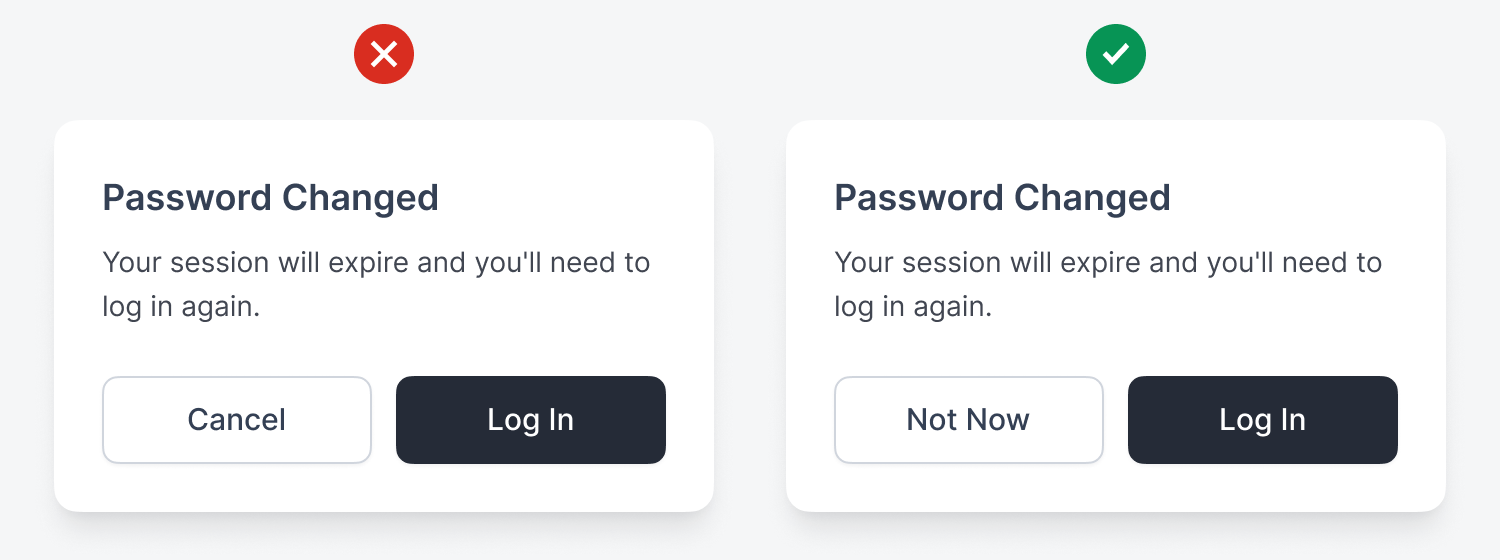
In a password change flow, users may see a modal dialog that says, “Your session will expire and you’ll need to log in again.” Users might think “Cancel” abandons their password change, but they already changed it. This step just warns them that their session will expire. A clearer label to use is “Not Now,” so users don’t think they’re reversing the password change.
This excerpt is provided for preview purposes. Full article content is available on the original publication.